
First thing first: bibisco is a desktop application that stores data on your PC/Mac.
Therefore, there are no copies of your work on the web: neither at bibisco.com nor at Gumroad, the e-commerce platform that distributes bibisco.
So to install bibisco on another PC/Mac you have to do these operations:
- Transfer your projects from the current PC/Mac to the new PC/Mac.
- Download bibisco again to the new PC/Mac.
- Import your projects in bibisco in the new PC/Mac.
- Uninstall bibisco in the old PC/Mac (Optional).
Transfer your projects from the current PC/Mac to the new PC/Mac #
- If your project directory is already synchronized with a cloud drive*** (Google Drive, Dropbox, etc…) you don’t have to do anything. If you want to know how to synchronize your projects with a cloud drive take a look here.
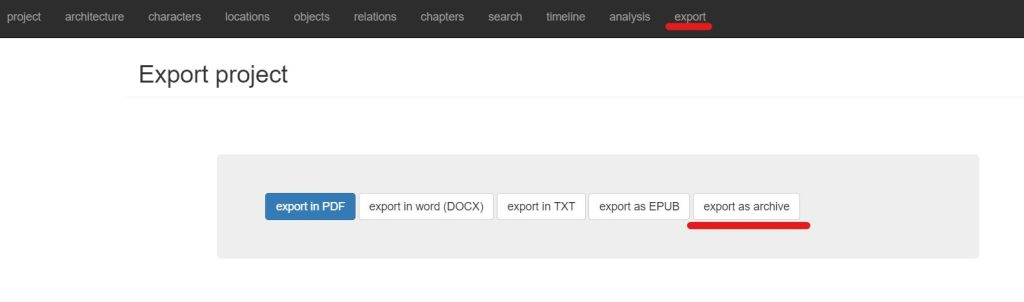
- If your project directory is NOT synchronized with a cloud drive*** you have to export your projects as archive and transfer the exported files on the new PC/Mac.
Download bibisco again to the new PC/Mac #
Download bibisco again to the new PC/Mac following our How to download bibisco article.
Import your projects in bibisco on the new PC/Mac. #
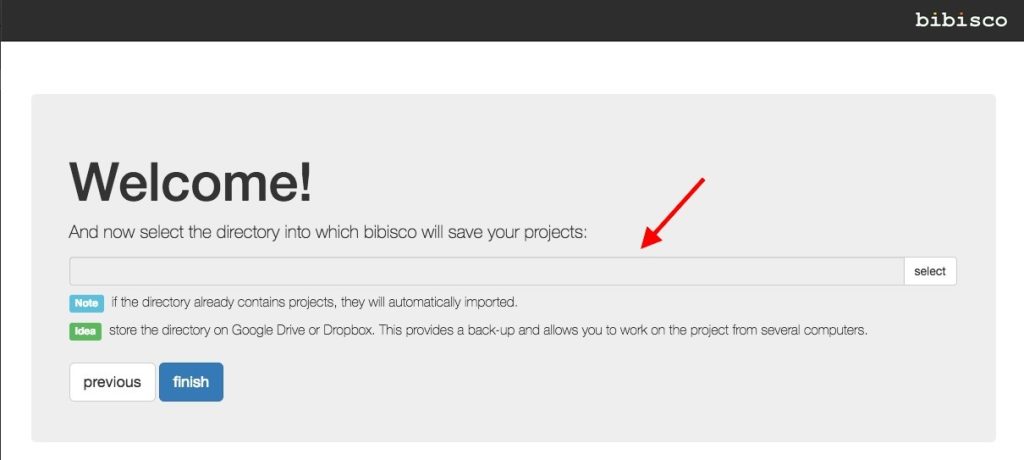
- If your project directory is already synchronized with a cloud drive*** (Google Drive, Dropbox, etc.), when bibisco starts select the directory of the new PC/Mac synchronized with your cloud drive as the project directory.
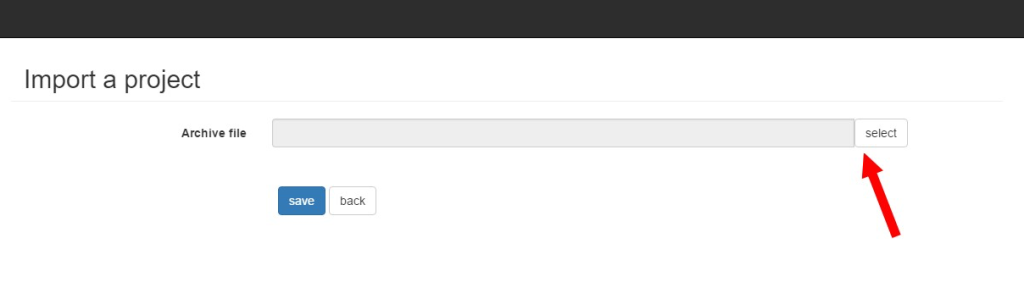
- If your project directory is NOT synchronized with a cloud drive*** you have to import your project archive files (.bibisco2 extension) in bibisco installation on the new PC/Mac.

Uninstall bibisco in the old PC/Mac (Optional) #
Uninstall bibisco in the old PC/Mac following these instructions.