If you write across more than one device, desktop and mobile, we recommend using bibisco Everywhere instead of syncing through a cloud drive. It’s built specifically for this: it keeps your projects synced and handles version conflicts for you. For example, if the copy on a device is older than the version in the cloud, bibisco warns you and lets you choose which version to keep. A cloud drive folder doesn’t offer that protection, so it’s easier to end up with conflicting copies or lost changes.
See how to set up bibisco Everywhere to get started.
If you’d rather sync bibisco between desktop computers using a cloud drive, or you’re not using bibisco Everywhere, here’s how:
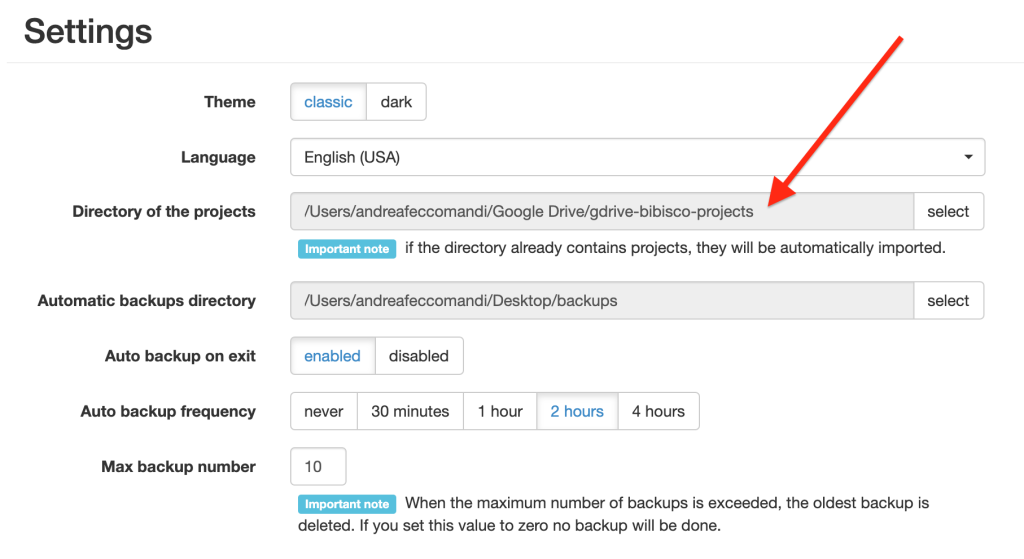
To save your projects on a cloud drive, Dropbox or Google Drive, for example, you simply have to choose as bibisco projects directory, a directory on your PC or Mac that is synchronized with Dropbox, Google Drive, or iCloud Drive.
Please note:
- bibisco never connects to your cloud account to retrieve files (in fact, bibisco never asks you to enter your cloud account credentials) but always reads a local directory that must be kept synchronized by the cloud service.
- you have to select a local directory (i.e. /Users/andreafeccomandi/Google Drive/gdrive-bibisco-projects) and not a network directory (i.e /run/user/1000/gvfs/google-drive:host=gmail.com,user=xxx.yyy/1lpNnSQwU6nKUpaVq21hxvvAKigncclO6)
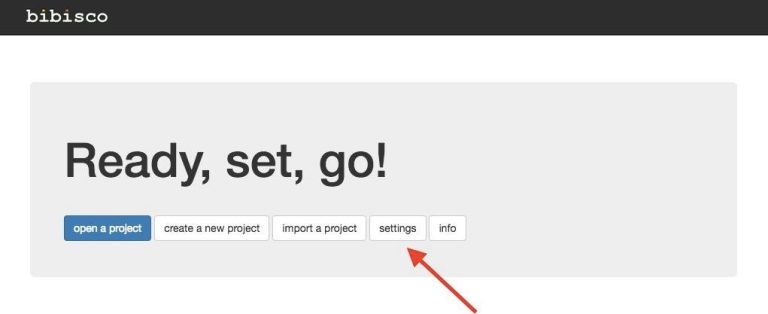
You choose the bibisco projects directory when you first launch bibisco, and you can change it from the settings menu.